

Read Anything, in Any Language
Books in EPUB, PDF, TXT, HTML and Markdown, web pages saved for offline reading, and articles from your feeds — all in one reader. Reading in a language you are learning, unknown words carry their translation above the line, and a tap opens the full dictionary without leaving the page.
What the reader does
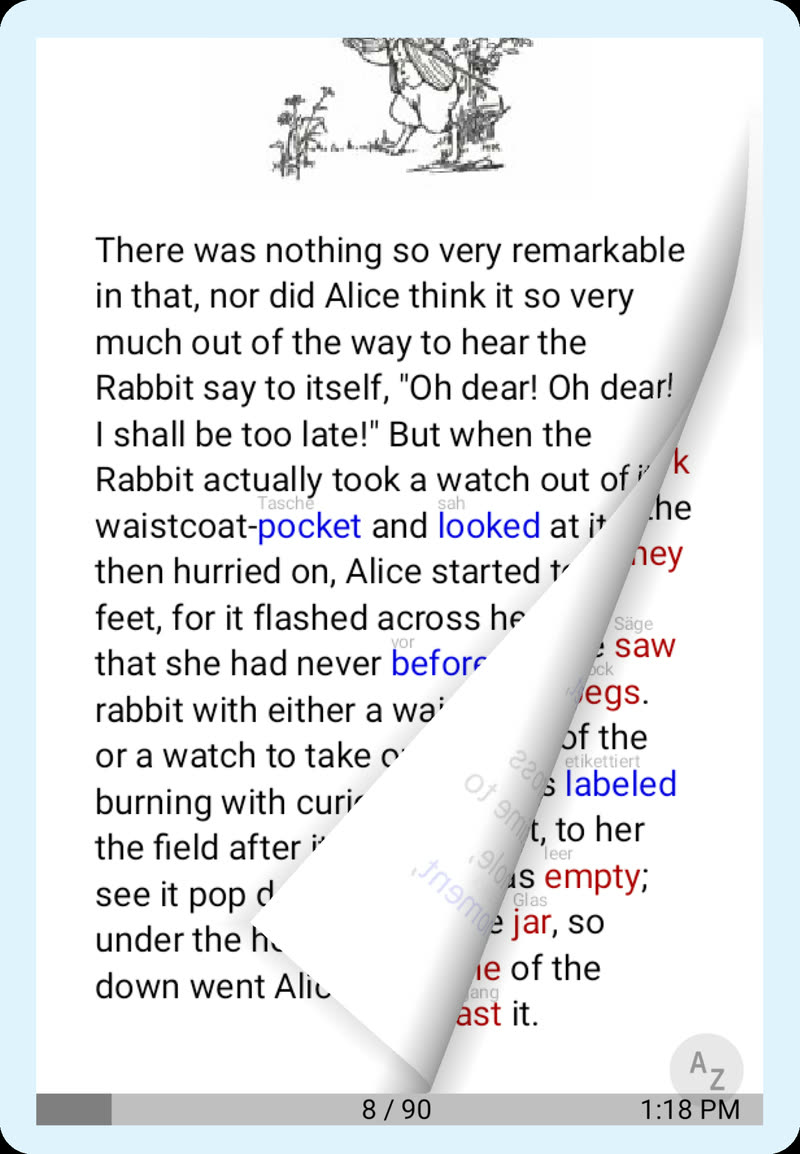
One reading view for everything, with the tools a learner needs built into the page:
- EPUB, PDF, TXT, HTML and Markdown
- Web pages saved and cleaned down to their text for offline reading
- RSS, Atom and OPDS feeds, X accounts and Telegram channels, with OPML import and export
- Unknown words translated above the line; tap for the full dictionary entry
- A translation of the passage you are reading, in a panel beside the text
- Tracks which words you know and estimates your vocabulary from a frequency list
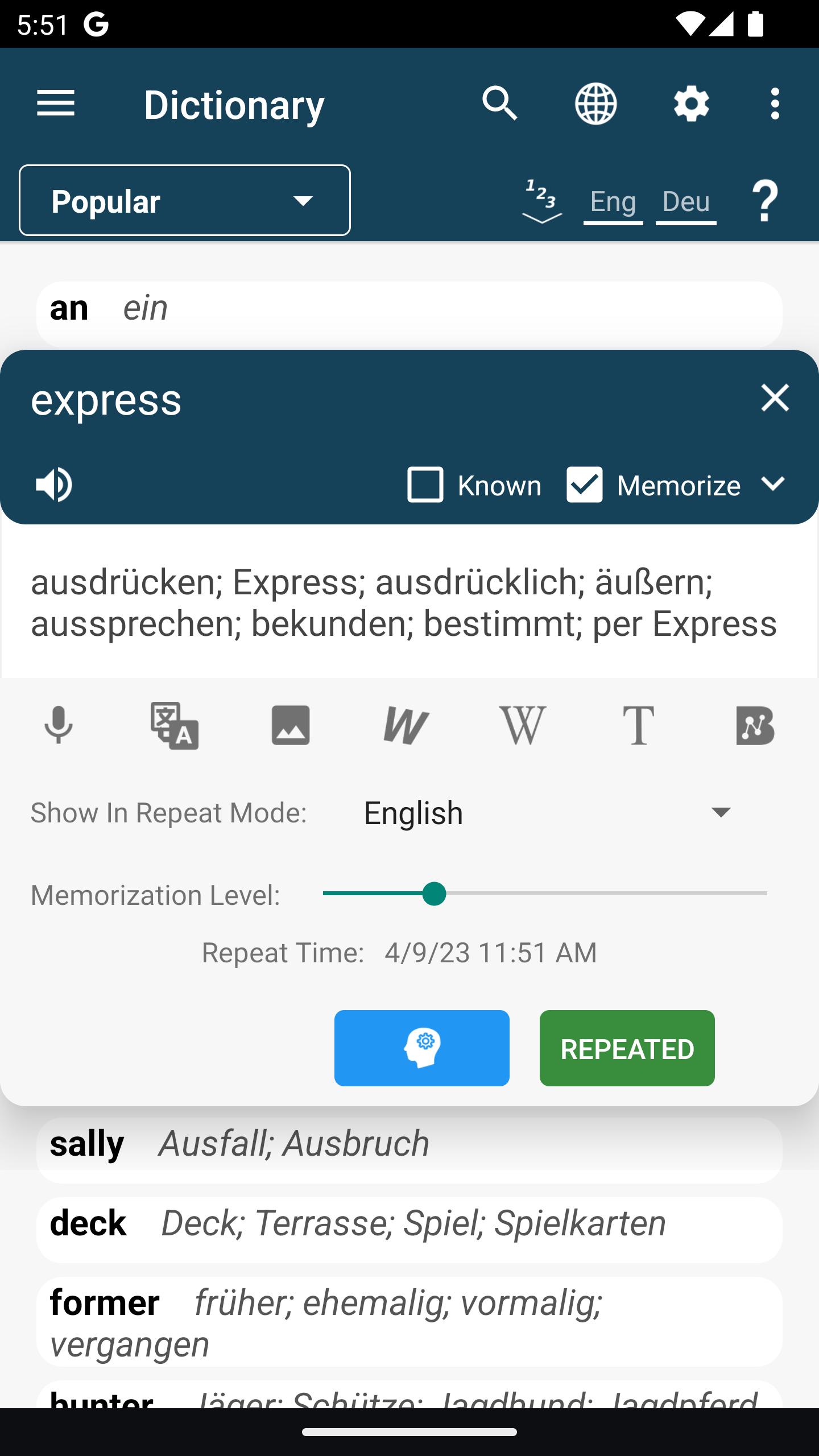
- Memorize in one tick: the word becomes a flashcard scheduled by FSRS
- Audiobook playback synced to the text, or text-to-speech when there is no audio
- Summaries, key points and the main idea of an article, one tap in the panel beside it
- Questions answered from the page you are on, or from your whole library
- Feeds sorted by relevance to a topic you name, and a recommendation list built from what you read
- Notes, bookmarks and tags, filed under the book they came from
- Fonts, colour schemes and layout to taste
Everything you save while reading — a word, a phrase, a note — stays linked to the page it came from.
Reading in a Language You Are Learning
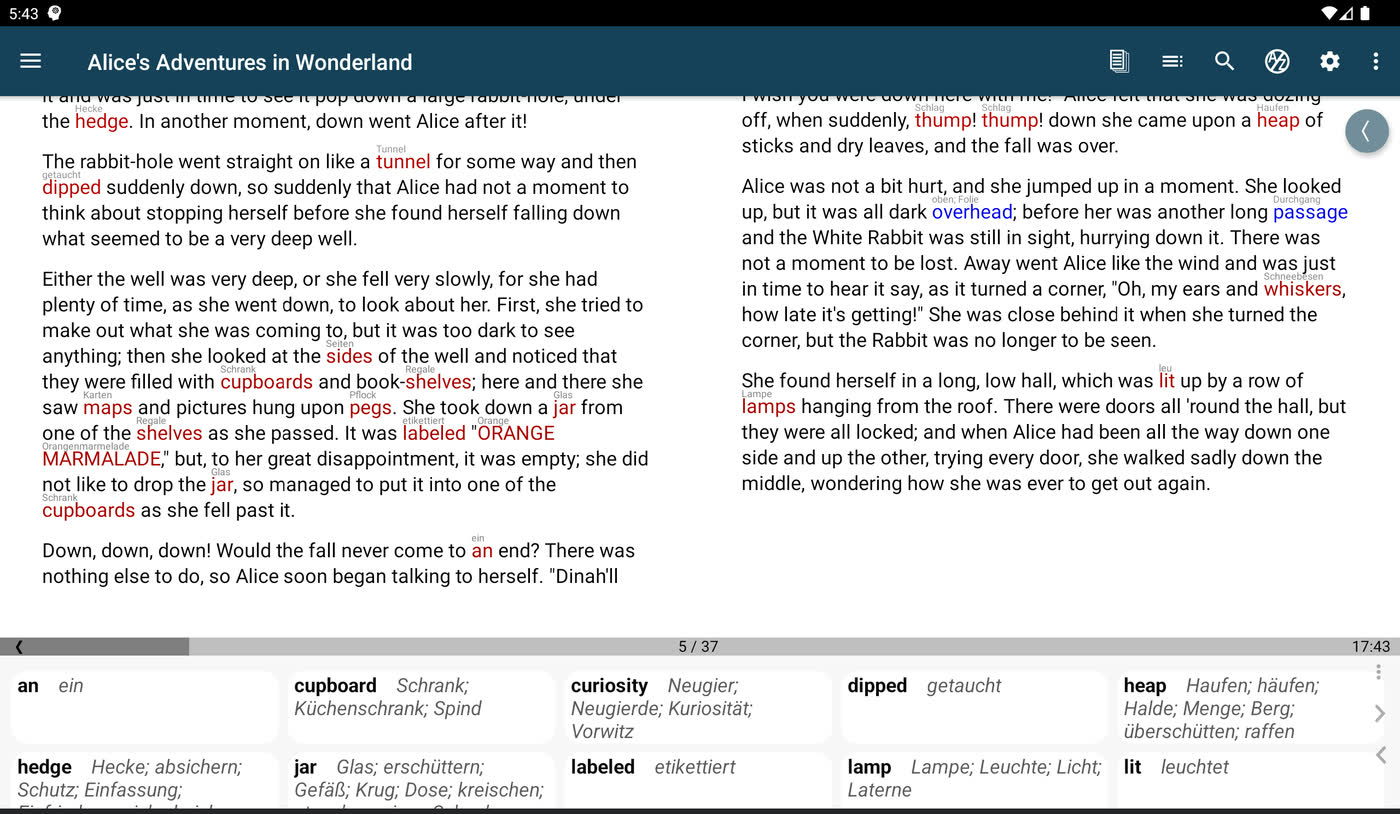
Words you do not know carry a small translation printed above them, so you keep reading and the meaning arrives as you need it. Tap a word for the full entry; select a phrase and its words are translated together.
pimReader tracks which words you know. Mark a word as known and it stops being glossed; over a few weeks the page itself shows what you still need. A frequency-based estimate puts a number on your vocabulary, so you can tell whether a book is right for you before spending an evening on it.
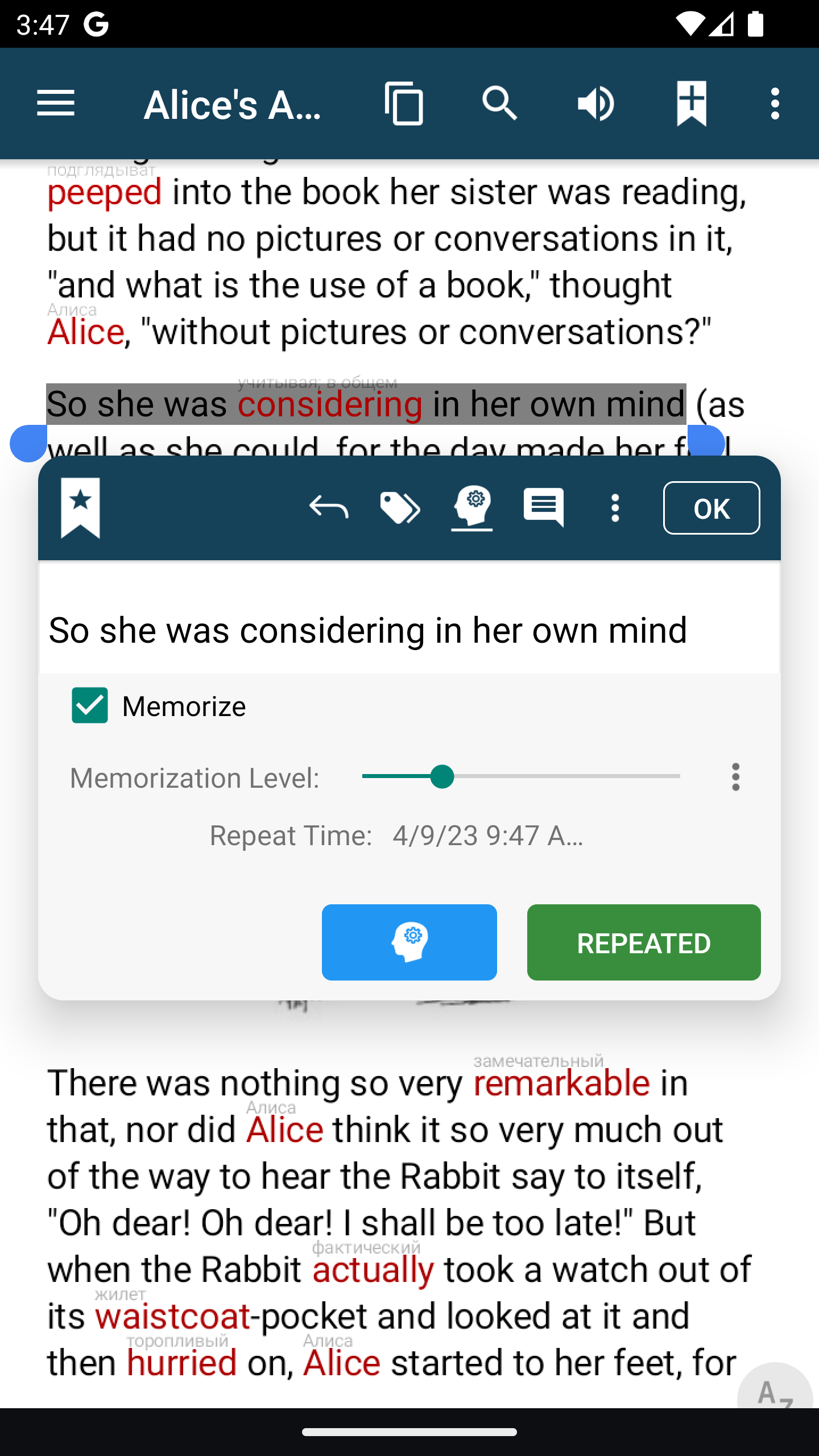
Tick Memorize on a word worth keeping and the card is written from the sentence you found it in. FSRS brings it back just before you would forget it.
The dictionary panel can sit beside the page or over it, at the size you prefer. Dictionaries download on demand for the languages you read.
Your Feeds, in the Same Reader
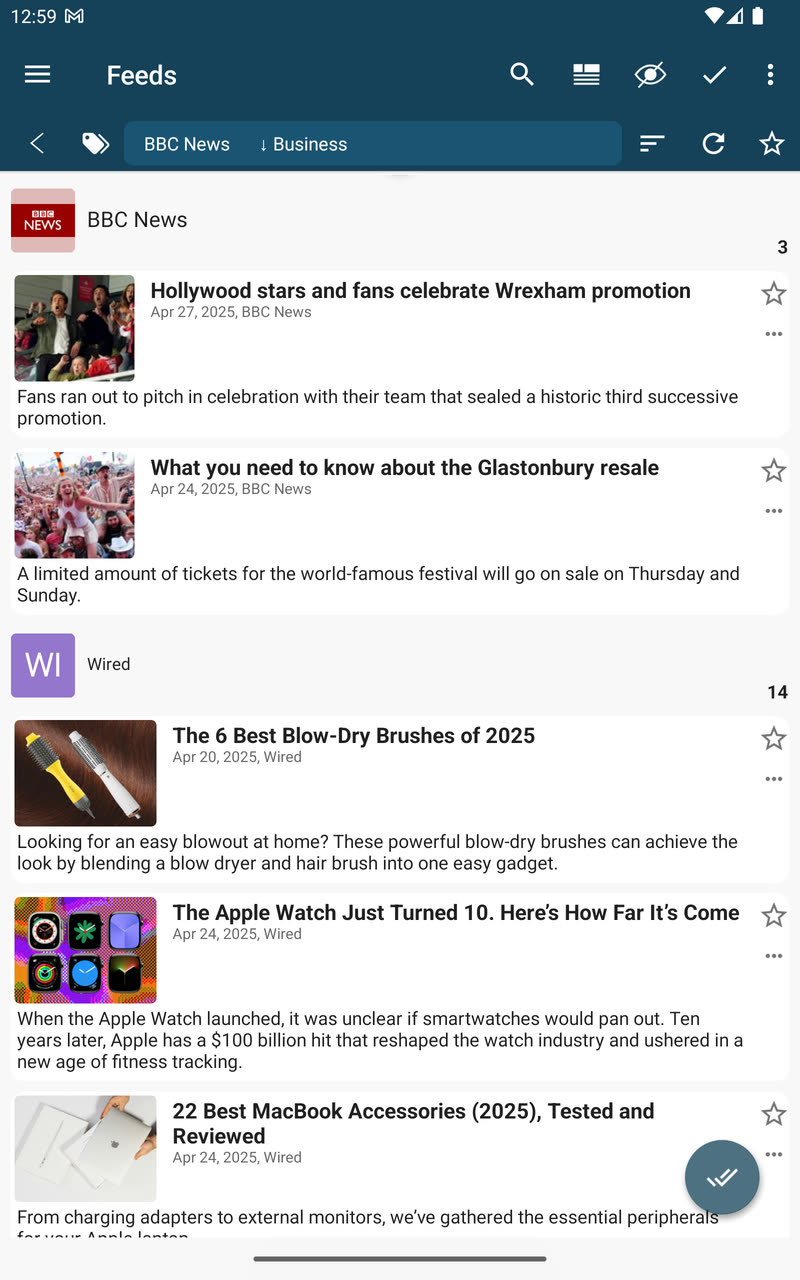
Subscribe to RSS and Atom feeds, OPDS catalogues, X accounts and Telegram channels, or import your existing list as OPML. Articles open in the same reader as your books, with the same glosses, dictionary and Memorize.
Articles are cleaned down to their text and kept for offline reading. Sort a busy feed by relevance to a topic you name, and let pimReader build a recommendation list from what you actually read.
A Summary Before You Commit
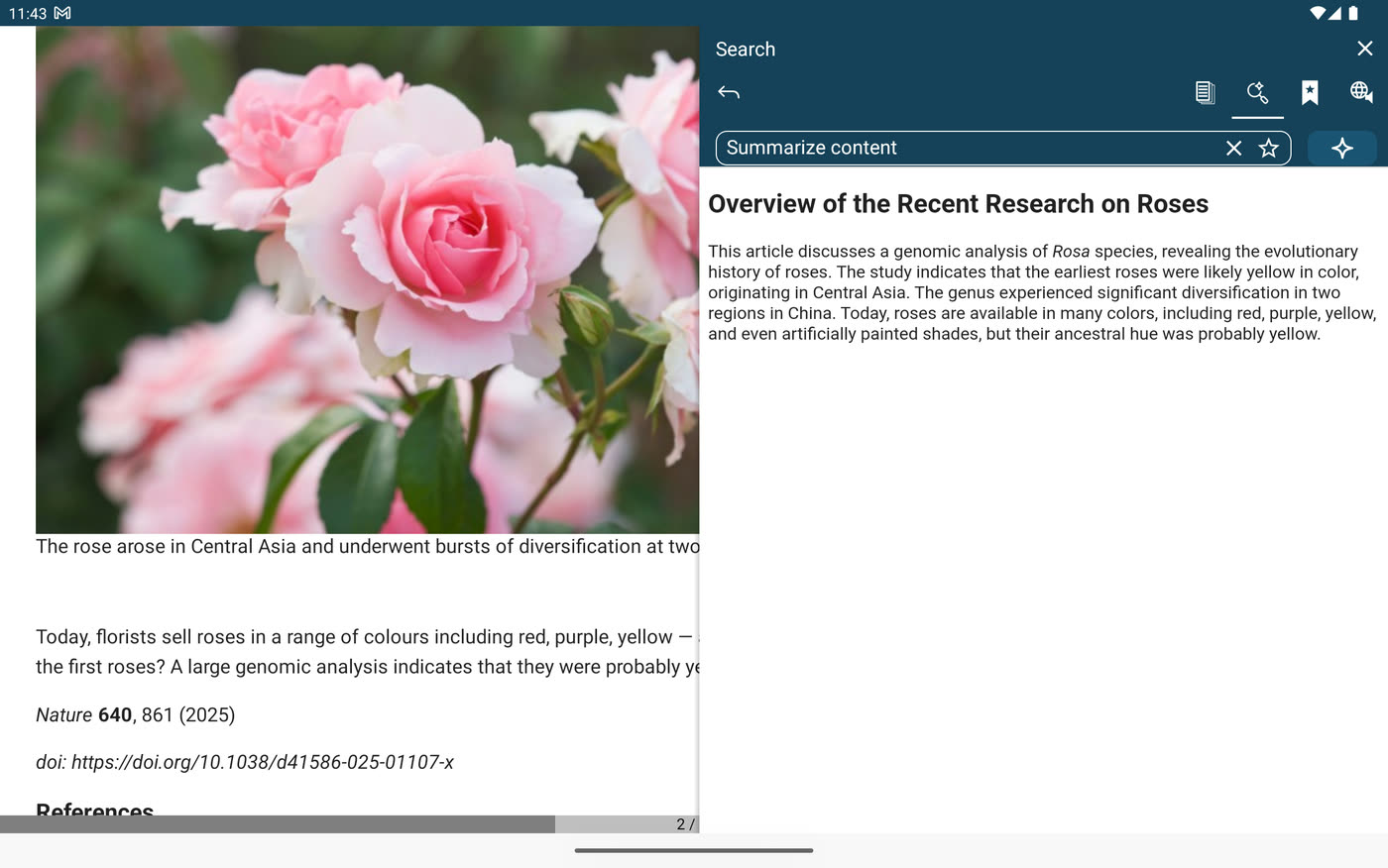
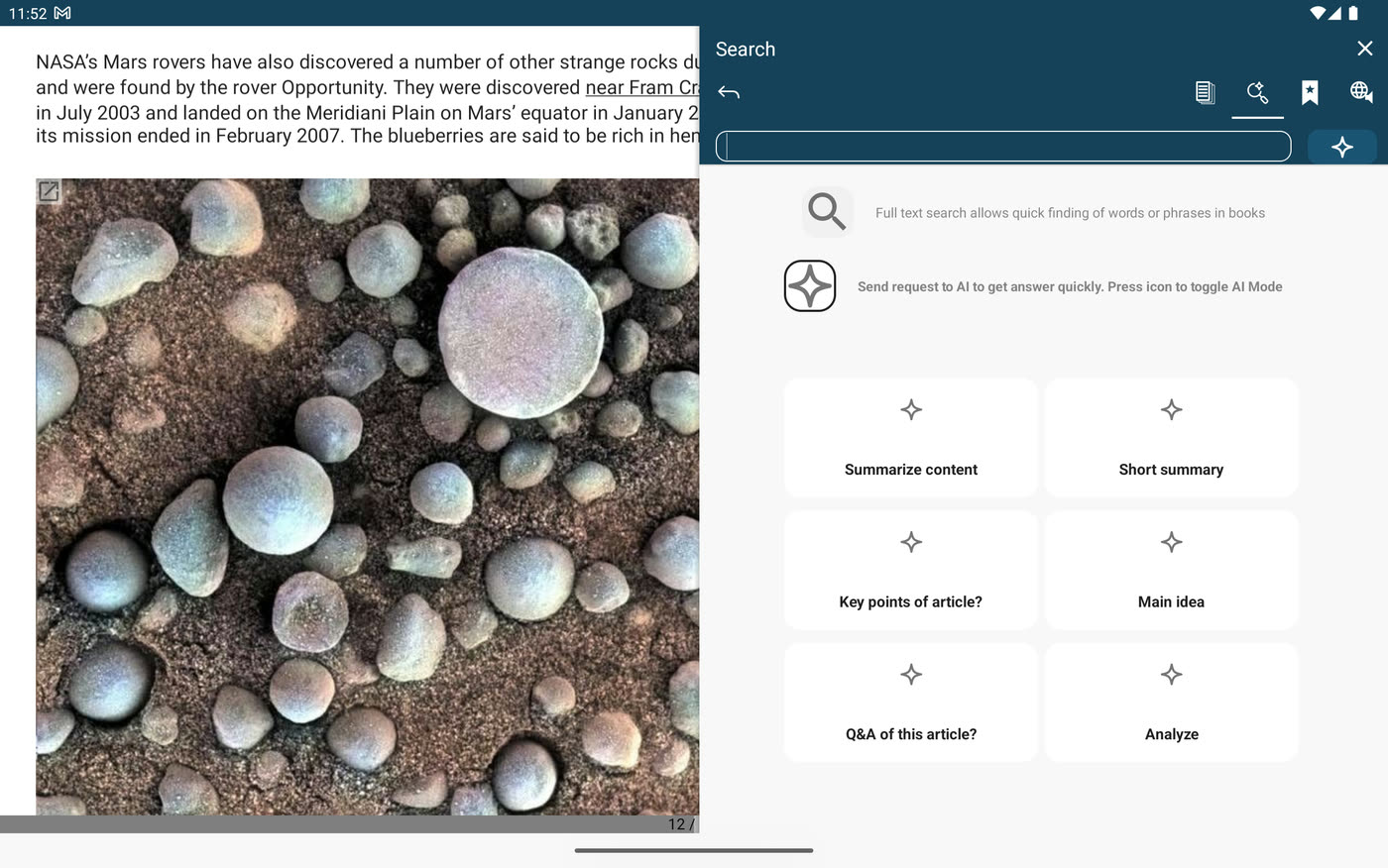
Open the panel beside an article and tap Summarize content, Short summary, Key points or Main idea. The answer appears next to the text, and you decide whether the piece earns a full read.
In a language you are still learning, the summary does a second job: you know what the article is about before you start, so every unfamiliar word has a context to land in. For a morning catch-up, ask for a digest of the unread news of the last two days on a topic you name.
Ask a Question, Sort by Meaning
Type a question in the panel and the answer comes from the page you are on — a term you did not follow, a claim you want unpacked, a date you missed. Ask it of your whole library instead, and the answer is drawn from your own books, notes and feeds.
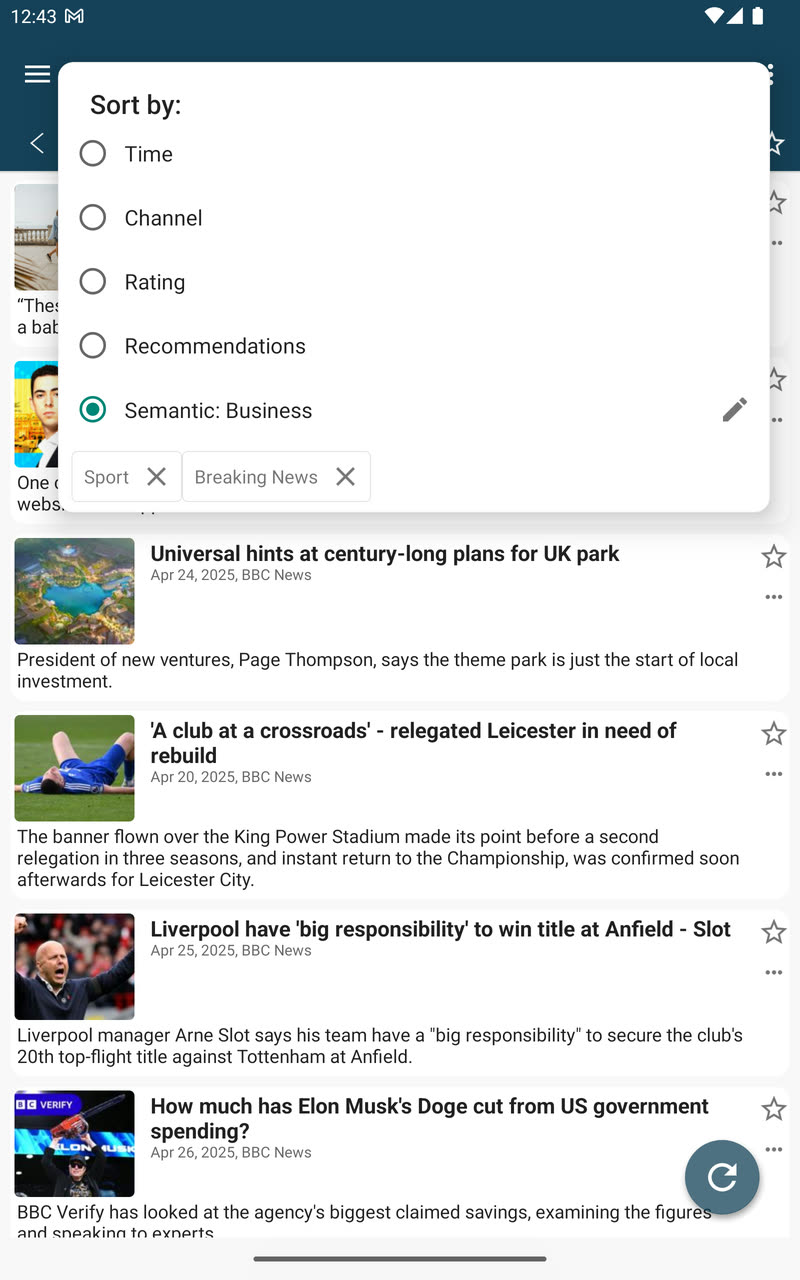
The same grasp of meaning reorders a feed. Open Sort by, choose Semantic and name a topic, and the articles closest to it rise to the top instead of the newest — even when they never use your words. Topics stay in the menu as chips, so the ones you care about are one tap away.
Semantic search works that way across the library too: describe the passage you half remember and it comes back, with its source attached.
News Picked for You
A busy feed list hides the three articles you wanted under three hundred you did not. After a few weeks of reading, choose Recommendations in the same Sort by menu and pimReader ranks what is unread against your own history — what you actually read, not what you clicked.
The list improves as the history grows. Summaries, questions, relevance sorting and recommendations are part of the AI assistant, which needs a pimReader Plus subscription; everything else on this page works without it.
Listen While You Read
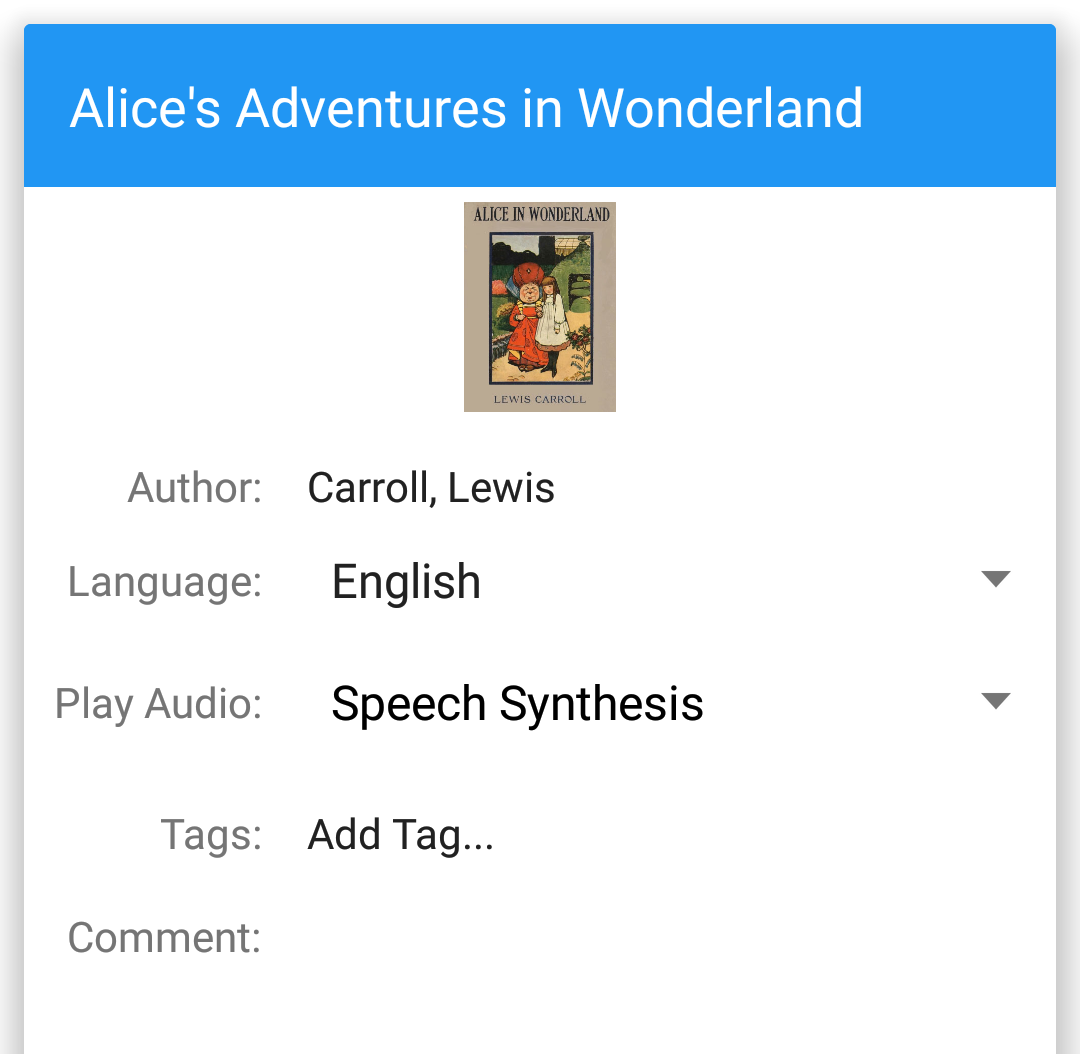
Open an audiobook alongside its text and the player follows the page, so you hear the words as you see them — the fastest way to tie pronunciation to spelling.
With text only, text-to-speech reads the book aloud. It is a synthetic voice, not a narrator, but for a learner hearing every sentence is worth more than silence.
What You Read Becomes What You Review
Select a word or a phrase and tap Memorize. It becomes a flashcard, filed under the book, and enters a review schedule run by FSRS — an algorithm that models how quickly you forget each item and brings it back just before that.
Reviews take a few minutes a day, on the phone or the tablet; progress syncs between them.
The word tracker ranks unknown words by frequency, so you spend your reviews on the words you will meet again.